Google Drive Share Folder
The only typefaces permitted in this class are:
– Adobe Caslon
– Adobe Garamond
– Adobe Jensen
– Bodoni
– Century
– Clarendon
– Didot
– Franklin Gothic
– Futura
– Gil Sans
– Helvetica Neue
– Officiana Sans
– News Gothic
– Perpetua
– Rockwell
– Sabon
– Trade Gothic
– Univers
| Week 02-03 |
|
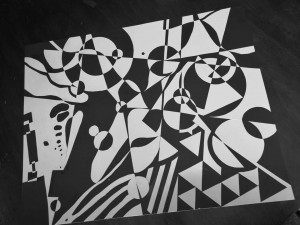
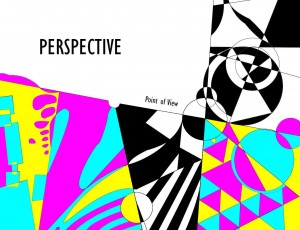
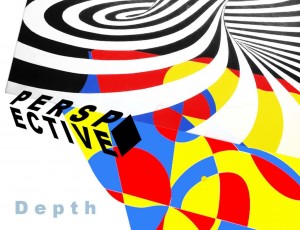
| Project 01: SPACE (Level I & III) Work on the narrative design of space and depth.Suggested Concepts: balance, tranquility, harmony, fluidity, time, etc. Use only non-representational graphic elements. You are telling a story under one common theme (ie, time) yet through different lenses. Excellent work must show perfect craftsmanship with dedication to details. Depth and sophistication are also key in the success of the work. Your work will contain two parts: A. The hands-on part of 8.5×11 cardstock design B. The digital revision based on your initial design. A chance to practice drawing tools in Photoshop or Illustrator.Save as P01_firstname_lastname.jpg and upload to Google Drive. Wk2 Friday TutorialsLevel One
Level Three https://www.youtube.com/watch?v=rSIQJNY1dlI
Save as T01_firstname_lastname.jpg and upload to Google Drive.
Wk3 Friday TutorialsLevel One https://www.youtube.com/watch?v=caAqPsBmUnQ Level Three Save as T02_firstname_lastname.jpg and upload to Google Drive. |
TEACHING CONTENT
Play with Canva templates, change designs for your own purposes. Project O1: LOGO design 1. What is logo? Work with Canva Hand Design Your Logo Make your own four designs of logo – letters only, pics only, combination, other
Theory of Color Play with the Canva color wheel, export the palettes Hexadecimal: put in the color codes for yourself
Tutorial-based Assignments (left side) Save as T01_firstname_lastname.jpg and upload to Google Drive.
Team-based Content Teaching Design Appreciation Folder & Presentations
Tutorial-based Assignments (left side) Save as T02_firstname_lastname.jpg and upload to Google Drive. |
| Wk 4 |
|
| Level I: Typographic Basics
Read the Typography Basics, which should contains the following contents:
Project 02: Save as P02_firstname_lastname.jpg and upload to Google Drive.
Friday Tutorial: Save as T03_firstname_lastname.jpg and upload to Google Drive.
|
Level III
Project 02: Typographic Experiment You will make a vintage product poster for a 19th century mockup merchandise, which must contains the necessary typographic elements for that era. Examples: a wine bottle with labels, an antique book with cover design, etc. PHASE ONE: RESEARCH – 19th Century Typography, due today
PHASE TWO: Present your research to the whole class, next class. PHASE THREE: You must use a real object and take a professional photo out of it. Please use the studio lighting setup. First class next week. PHASE FOUR: Design & Develop your work. Second class next week, & Friday. Save as P02_firstname_lastname.jpg and upload to Google Drive.
Friday Tutorial Save as T03_firstname_lastname.jpg and upload to Google Drive. |
| Project 03 |
|
| Level I: Week Six
View and review these two tutorials. Use one as your main guidance to create a typographic logo design for a brand, which can be an existing one or a mockup. Upload your final work to GD. or Save as P03_firstname_lastname.jpg and upload to Google Drive. |
Level III: Week Six
View and review these two tutorials. Use one as your main guidance to create an ad for objects of your choice. For example, a river coming out of a coca cola bottle. Upload your final work to GD. or Save as P03_firstname_lastname.jpg and upload to Google Drive. |
| Project 04 | |
| Level I: Typographic Effect with Warp effects
Save as P04_firstname_lastname.jpg and upload to Google Drive. |
Level III: Typographic Effect with/without Warp effects Follow the following tutorial to design a bookcover using this background image. Remove the current type mark on the book cover. Please do make a different image than the tutorial design.Examplehttps://www.youtube.com/watch?v=KsF3Ue45Ek4Save as P04_firstname_lastname.jpg and upload to Google Drive. |
MIDTERM CONSOLIDATION
Project 05 |
|
| Level I: Hierarchy
Teach Content & Class Exercises:
Continue your reading in Text, and go over the contents as followings:
Part One: Structure a design that reflects good thinking of hierarchy, orderly design. The project is here. Part Two: Create a long list using all we have learned. The project is here.
Save as P0501_firstname_lastname.jpg and P0502_firstname_lastname.jpg and upload to Google Drive.
Friday Tutorial: Use the techniques you learn from this video for your booklet redesign project, and save it as T04_firstname_lastname.jpg and upload to Google Drive. |
Level III: Digital Painting
Teach Content & Class Exercises:
Assignment:
Save as P05_firstname_lastname.jpg and upload to Google Drive. |
|
Project 06 |
|
| Level I: Grid
A. Continue your reading in Grid, and go over the contents as followings. Then work on the Grid project.
B. Create an image based on the following video tutorial, and add this to your Modular Grid work. How to Create Letter Portrait https://youtu.be/-EoGlRhVy30 |
Level III:
Diagonal Grid System Following the framework of Project: Modular Grid, use a diagonal grid system to build 4~6 different designs with the same content.
Technology: Create Linquid Texts Pick a name of brand and make a liquid logo redesign. Liquid Lettering Tutorial
|
|
Final Project: |
Both level I & III: work on your current portfolio, bring to class for help and discussion. Complete your final web/print design by the last day of class. |
|
|
|
| No Asphalt: link
|
|
|
|

************************************************************************************************************
A. Student Showcase
B. Google Drive & Google Save
C. Typography in Illustrator tutorials (Friday) – A01_firstname_lastname
Depending on your skill level, complete at least ONE tutorial. Level Three students must complete at least TWO tutorials. Prepare to show your work next Monday.
https://www.youtube.com/watch?v=caAqPsBmUnQ
Week Two:
Students’ Showcase, Part II
Review last week’s assignments
Discussion of Groupings for Project One: Total Eclipse
Thinking with Type & Presentation Schedule
Friday Individual Assignment – Portfolio Enrichment Competition (A02_firstname_lastname)



Week Three:
Day One
Typography Letter Team Teach [ Thinking with Type ]
Review last week’s assignment
Group work on P01_firstname_lastname Total Eclipse
Day Two
Learning Graphic Design History (1880-1912)
Typographic Anatomy & Measurement
https://www.youtube.com/watch?v=xvIPtLRbSBE
Complete your group project and submit it to your group folder no later than 5pm Friday.
Week Four:
Typographic Classification Teach [ Thinking with Type ]
Find Your Designer – Link
Friday Assignments: Level I – pick one; Level III – both. Best if use your own contents. Name: A04_Firstname_Lastname
Week Five:
Typographic Text Teach [ Thinking with Type ]
Typographic Specimen Project
P02_firstname_lastname
Objective: Originally created as a means to show off metal type options for use by printers (the ‘original graphic designers’), type specimens developed into sophisticated print pieces used to sell digital typefaces to graphic designers. Specimens usually include both sections showing the collection of glyphs in the face, as well as the typeface in use-either in a fictional narrative emulating possible practical applications, or in abstract and experimental layouts. Either way, the idea is to help the designer imagine what they might do with the typeface in their own work.
Assignment Brief: Design a 6-10 page type specimen advertising a typeface of your choosing (to be approved by me before beginning work). The typeface you select must have a minimum of 5 styles. Your book will be 8.5 x 11 in and 300 dpi (if in Photoshop). It should contain three sections. Please export the final work as a pdf file and upload it to your Google Drive upon completion.
Section One: this page is to introduce to your audience your target superfamily. It should provide the following information:
name of the family, all variations of style (one per variation), designer, history, font size demo in points in 12pt, 18pt, 20pt, 24pt, 30pt, 36pt, 42pt, 48pt, 60pt, 72pt.
Do not use colours other than black. Your design should look neat and well organised and there is a great balance between positive and negative space. Good contrast between large and small fonts are also highly encouraged.
Visual examples (please refer to the above for a full list of contents to be included)
one, two, three, four, five, six, seven
Section Two: in this section, you will present a contemporary-looking layout with typographic elements from this superfamily. Letters should be expressive and good contrast is needed to make hierarchy over the page/spread. Only two colours can be used. Use white background.
Visual examples:
One, Two, Three, Four, Five, Six, Seven, Eight
Section Three: in section three, you will create a full-page/spread of typographic poster that looks like this, using as many variations of style in the superfamily as possible. Sophistication and hierarchy are key in this part. You may use up to three different colours. You may use a coloured background or background texture, but no gradient please.
Visual examples:
One, Two, Three
The total number of pages should be at least six for Level I, and at least ten for Level III. Unity should be well presented so that the three sections look coherent and harmonious throughout.
Project Timeline: first draft: section one Sep. 18, section two Sep. 20, section three Sep. 25; final version after revisions, Sep. 27th.
Friday Assignment:
02. Alignment
Week Seven & Eight:
Typographic Text Teach [ Thinking with Type ]
Critique on P02. Revision Session.
Project 03. Book Cover Design (P03_firstname_lastname )
Dr. Hightower in History Department is in immediate need of a book cover design. Final work due time is Friday Sep. 29th. Payment is $50 for the chosen publishable work. This project comes in the right time as we are about to learn InDesign this week. Please use this opportunity to sharpen your skillset.
Book size: 5×8 in, final work to be saved as two individual jpg files.
Congratulate to Zaria. Her work has been selected by MUSE committee, an on-campus job opportunity was offered to her as well.

Learning InDesign:
Level I: practice the book cover assignment with InDesign
Level III: co-work on a tourism booklet of eight countries view and group description in InDesign. (L3P01_firstname_lastname )
Week Ten:
Grid: Golden Section
A05_Firstname_Lastname: Create a movie flyer for 2018 Jurassic World: Fallen Kingdom
with Golden Section to be the main visual effect. You may use tutorials: Create a golden section with Illustrator, Golden Ration in Photoshop (11×17 in, 300 dpi)
Week Eleven & Twelve:
Guest Speaker: Portfolio Design
A06_Firstname_Lastname – Modular Design (assignment) to create a poster design (24x36in) to display a collection of works by a designer of your choice (Find Your Designer – Link)
Tutorial Presentations
Advertising Students’ Mid-semester Portfolio Exhibition:
- work with your professor to compile together your design collection (this week);
- place your work on one or two 11×17 300dpi file, white background; please put your name in the bottom.
- get them printed in cardstock paper at Morehouse printshop before Wednesday November 1st;
- bring printed poster(s) to class on Wednesday for wall mounting;
Announcement:
Earn extra credits if you attend this event. Please bring back ‘proof’ for your attendance, ie., photos, registration tags, etc..
STUDENT TUTORIAL PRESENTATION
Week Thirteen & Fourteen – moodboard
Monday – in Class 11/6/2017
Week Fifteen & Sixteen
Website Design
Complete your wordpress website design with the following features: a header, a main menu, a slideshow with your own images, the pages of About, Portfolio, & Contact. Please send me your link/URL of the sites.
Due time: December 8th, 5pm
Wednesday Nov. 29th – Final Workout with all of your assignments
Individual Folder Access Channel to Google Drive Folders to be closed after December 8th, 5pm. Pls make sure you have uploaded all files to that folder before the deadline.